Arrow Functions in JavaScript

Software Developer
It's a rainy afternoon in Patna.
You're sitting in Mudassir's Brew Spot with Nishar, your coding buddy.
Rain taps on the window. Steam rises from two hot masala chais.
Nishar opens his laptop and sighs.
"Bhai, normal functions feel so long sometimes. Look at this code to add two numbers:"
JavaScript
function add(a, b) {
  return a + b;
}
You smile.
"Wait till you see the shortcut — arrow functions! They make code shorter, cleaner, and very modern. Like ordering 'chai cutting' instead of full instructions."
Arrow functions came in ES6 (2015) and quickly became everyone's favorite because they remove extra words. Less typing = less mistakes + happier eyes.
Let's turn your normal functions into arrows — step by step, super easy.
1. What Are Arrow Functions?
Arrow functions are a shorter way to write functions.
They use a "fat arrow" => instead of the word function.
Most important perks:
Shorter code
No need to write return sometimes
Great for quick math, greetings, or inside .map(), .filter(), timers
(Later bonus: special this behavior — but we keep it simple today)
2. Basic Arrow Function Syntax
Normal function:
JavaScript
function sayHello() {
  console.log("Namaste from Patna!");
}
Arrow version:
JavaScript
const sayHello = () => {
  console.log("Namaste from Patna!");
};
Call it the same way:
JavaScript
sayHello(); // Namaste from Patna!
See? Just replaced function with => and used const.
3. Arrow with One Parameter – Even Shorter!
Normal:
JavaScript
function square(num) {
  return num * num;
}
Arrow (one param = no parentheses needed):
JavaScript
const square = num => num * num;
Or with braces if you want:
JavaScript
const square = num => {
  return num * num;
};
Test it:
JavaScript
console.log(square(5));   // 25
console.log(square(12));  // 144
Super clean!
4. Multiple Parameters – Parentheses Come Back
Normal:
JavaScript
function greet(name, city) {
  return `Hello \({name} from \){city}!`;
}
Arrow:
JavaScript
const greet = (name, city) => `Hello \({name} from \){city}!`;
Call:
JavaScript
console.log(greet("Nishar", "Patna")); // Hello Nishar from Patna!
Parentheses required when >1 param.
5. Implicit Return vs Explicit Return – The Magic Part
Explicit return (like normal functions):
JavaScript
const add = (a, b) => {
  return a + b;
};
Implicit return (no { } and no return keyword):
JavaScript
const add = (a, b) => a + b;
The line after => is automatically returned!
Even shorter examples:
JavaScript
const double = x => x * 2;          // implicit return
const isEven = num => num % 2 === 0; // returns true/false
Try:
JavaScript
console.log(double(10));   // 20
console.log(isEven(7));    // false
Rule: No curly braces → automatic return of the expression.
Want multiple lines? Use { } + return.
6. Quick Comparison Table (Normal vs Arrow)
Here’s a simple side-by-side look (inspired by modern JS visuals):
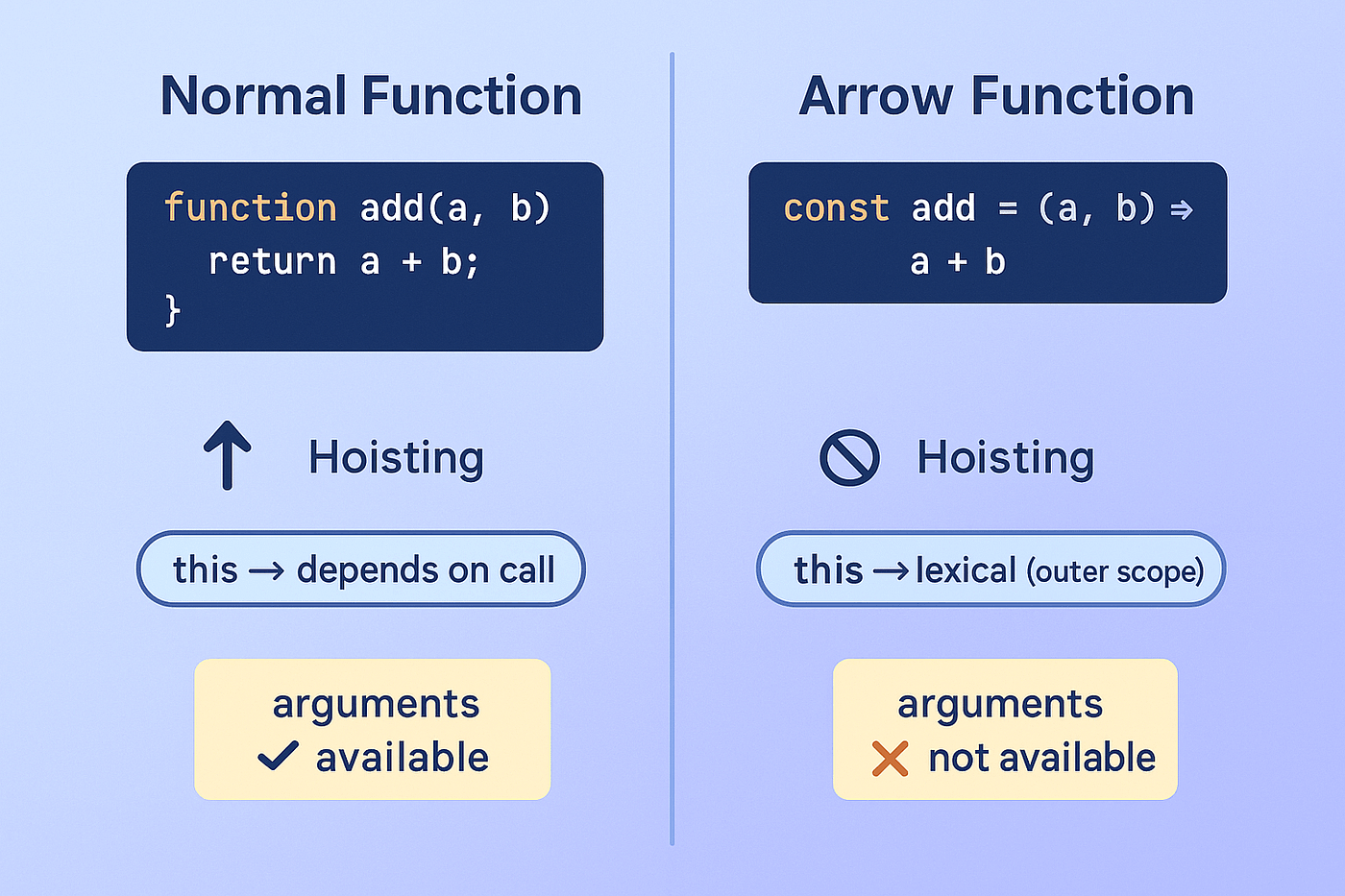

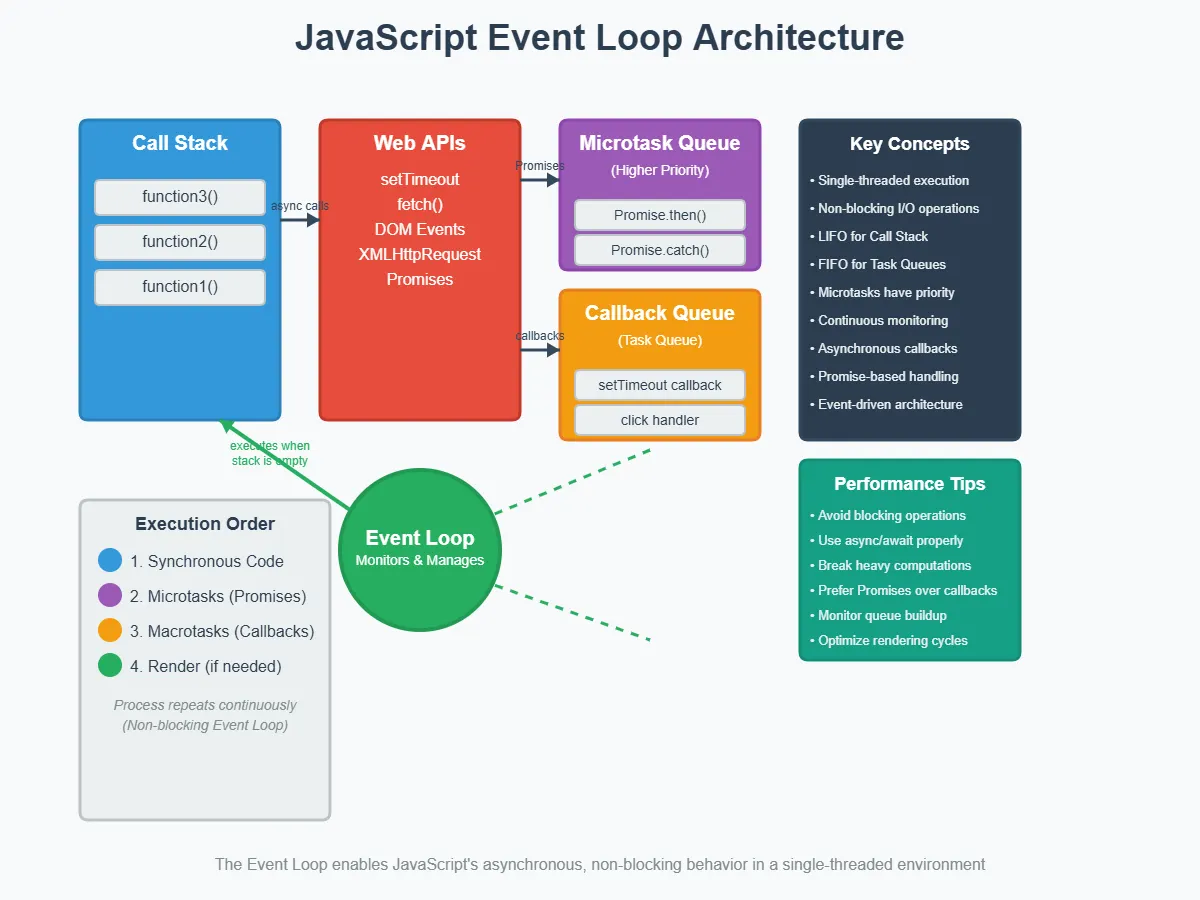
| Feature | Normal Function | Arrow Function |
|---|---|---|
| Syntax | function name() {} | () => {} or x => x*2 |
| this binding | Depends on how called | Takes this from outside (lexical) |
| Can be called before | Yes (hoisted) | No (like variables) |
| Short & sweet | Longer | Much shorter, especially one-liners |
| Best for | Methods in objects, constructors | Callbacks, .map/.filter, quick helpers |
(We skip deep this talk today — just know arrows are awesome for array methods!)
Your 5-Minute Assignment – Try It Now!
Open browser console (right-click → Inspect → Console):
- Normal square function:
JavaScript
function squareNormal(n) {
  return n * n;
}
console.log(squareNormal(6));   // 36
- Rewrite as arrow:
JavaScript
const squareArrow = n => n * n;
console.log(squareArrow(6));    // 36
- Even/Odd checker (arrow + implicit return):
JavaScript
const isEven = num => num % 2 === 0 ? "Even" : "Odd";
console.log(isEven(10));   // Even
console.log(isEven(7));    // Odd
- Bonus: Use arrow inside .map() (very common!):
JavaScript
const numbers = [1, 2, 3, 4];
const doubled = numbers.map(num => num * 2);
console.log(doubled);   // [2, 4, 6, 8]
Nishar sips his chai and grins.
"Bhai, arrow functions feel like magic! Less code, same work. I'm in love!"
You nod.
"Exactly. Modern JavaScript loves arrows. Use them for quick stuff, and your code looks pro."
Now it's your turn!
Rewrite one of your old functions as arrow.
Or make a greeting arrow function with your name and city.
#javascript #arrowfunctions #es6 #hashnode


